Issue Orchestration Protocol
AI triage for your backlog.
Humans stay in charge.
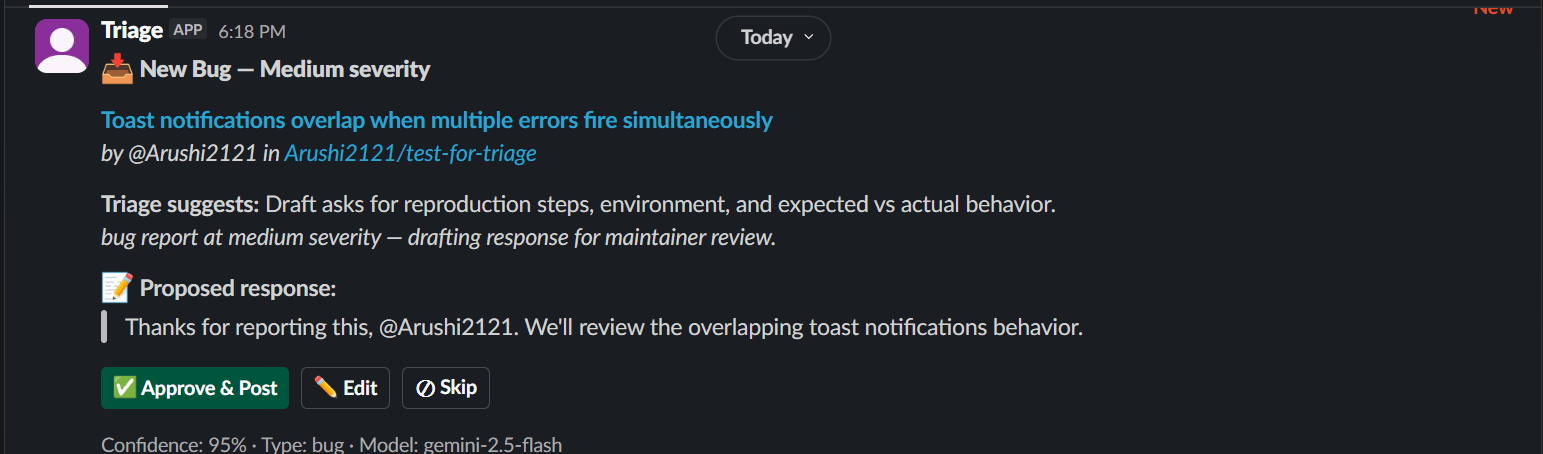
Triage classifies GitHub issues and pull requests, detects duplicates using vector similarity, and drafts responses in Slack for maintainer review. Every AI-generated draft is approved, edited, or skipped by a human before it posts.
What Triage Does
Triage is a Slack-native agent for open-source maintainers drowning in inbound issues and pull requests. It classifies incoming items via LLM, catches duplicates through vector similarity, drafts responses for maintainer review, and surfaces cross-issue patterns across the backlog. Delivered where maintainers already work — Slack — with a Model Context Protocol server exposing the same data to any AI client.
How It Works
Ingest & Classify
GitHub webhook fires on issue open. Gemini classifies the item as bug, feature, question, docs, or spam.
Webhook → Classify (Gemini) → [ type ]
Embed & Match
The issue text is embedded and stored in pgvector. Cosine similarity against the backlog surfaces duplicates automatically.
Embed → pgvector → Similarity ≥ 0.85 → Flag
Draft & Deliver
Decision engine routes by classification. Non-urgent bugs and features get a Gemini-drafted response, sent to Slack as a card.
Route → Draft (Gemini) → Slack card
Human Decides
Maintainer reviews in Slack. Approve posts to GitHub with attribution. Edit refines first, then posts. Skip discards.
Approve → GitHub | Edit → GitHub | Skip → drop
What Sets Triage Apart
Feature 01
Human-in-the-loop drafts
Triage classifies incoming issues and generates a proposed response, then posts it to Slack as a card with Approve, Edit, and Skip buttons. Every draft is reviewed by a maintainer before it reaches GitHub.
Feature 03
Cross-issue pattern detection
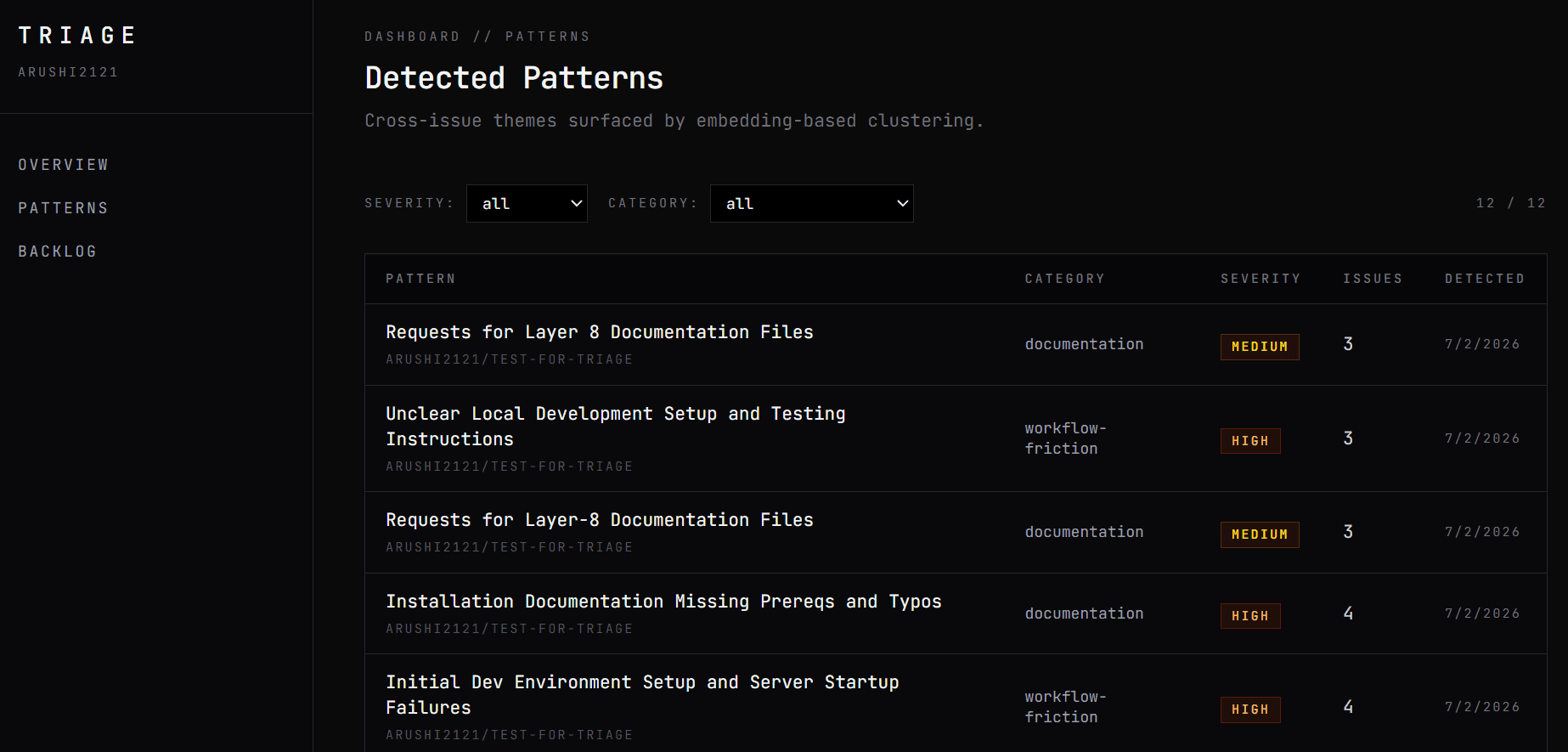
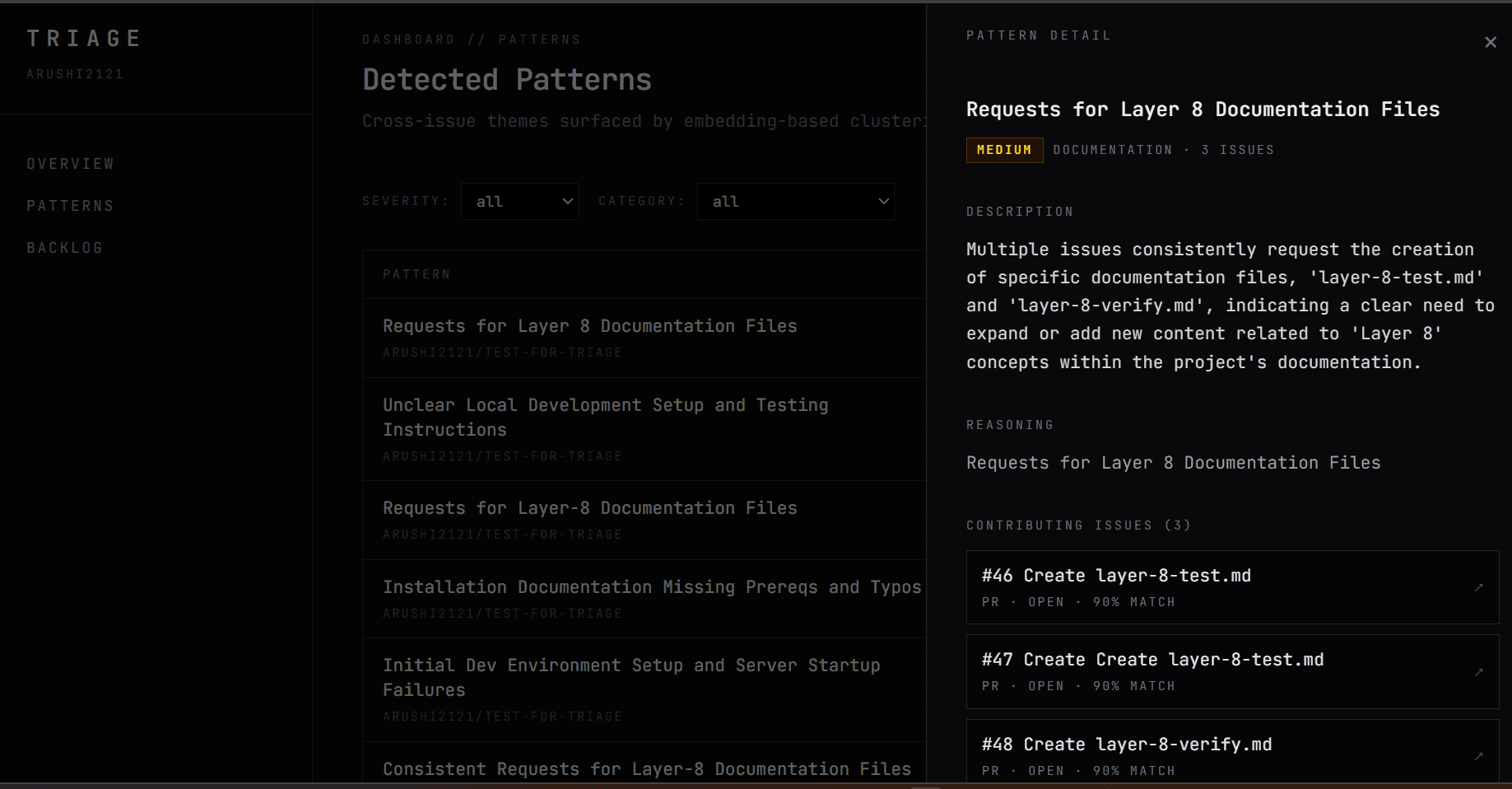
LLM-generated clustering surfaces themes across the backlog — recurring bug categories, documentation gaps, workflow friction. Drill into any pattern to see the contributing issues.
Feature 05
MCP server integration
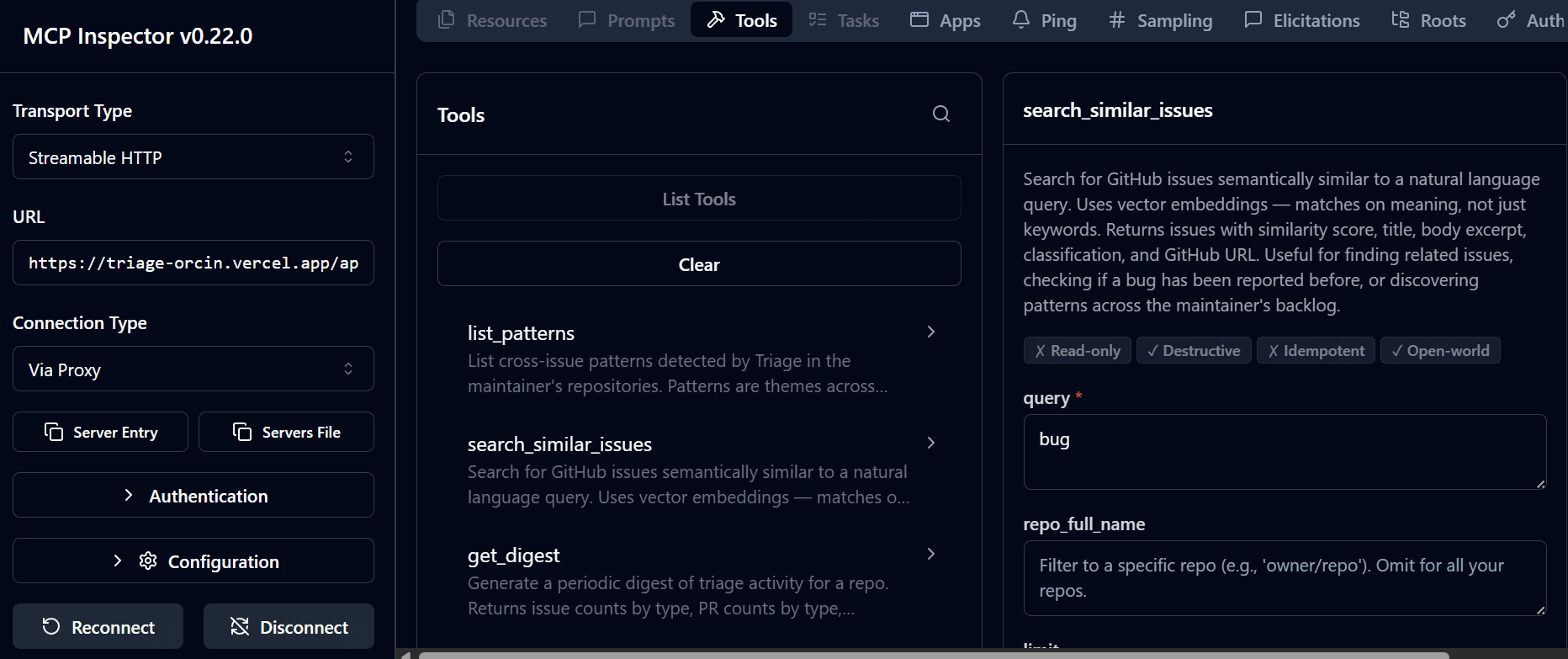
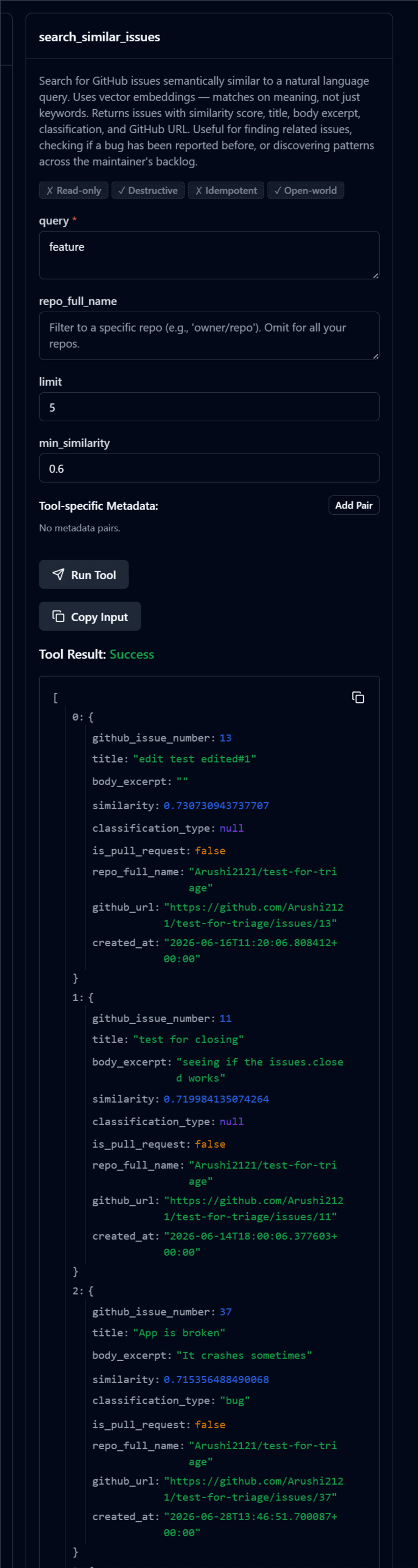
A remote MCP endpoint exposes list_patterns, search_similar_issues, and get_digest to any Model Context Protocol client — Claude Desktop, Cursor, MCP Inspector, or anything spec-compliant.
Feature 02
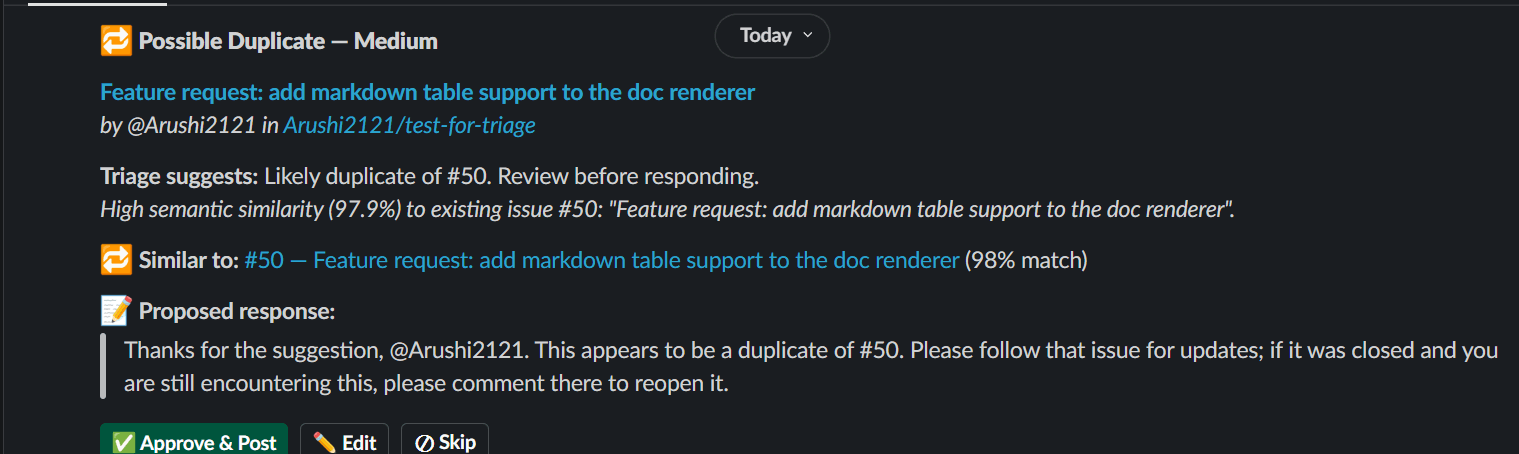
Semantic duplicate detection
Every incoming issue is embedded and matched against the backlog via cosine similarity. When it clears threshold, Triage posts a Slack card flagging the potential duplicate with the source issue linked — maintainers close it or override in one click.
Feature 04
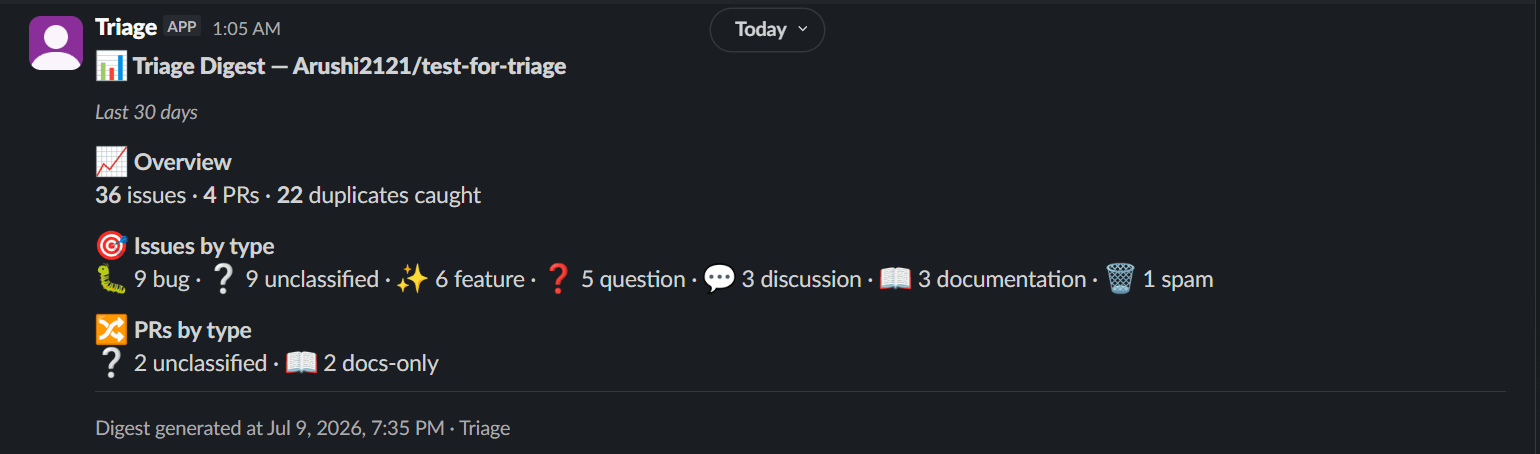
On-demand digests
Run /triage-digest in Slack for a periodic backlog summary — counts by type, PR volume, patterns detected, duplicates caught. Backed by the same pipeline that drives the dashboard.
Feature 06
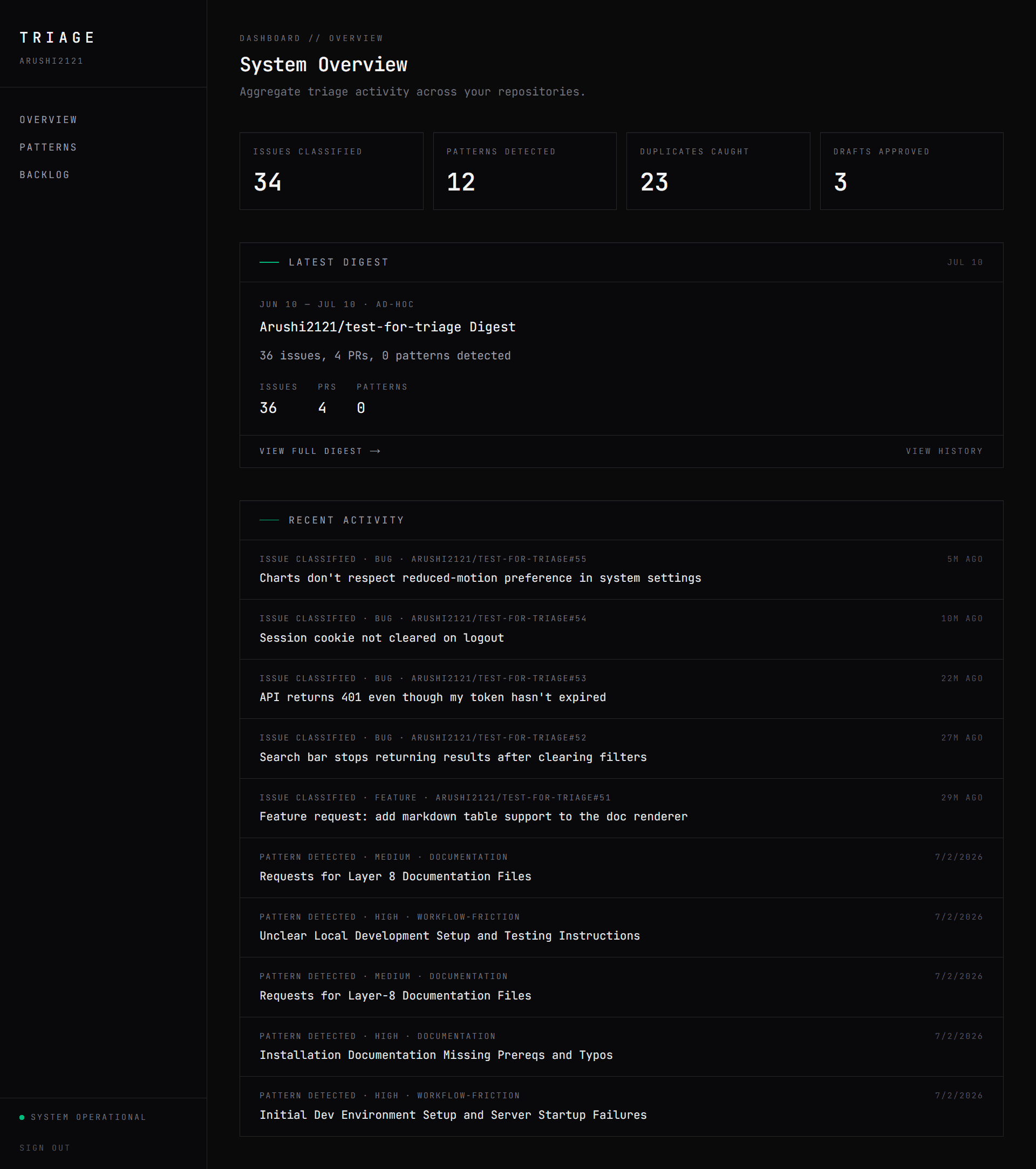
Dashboard
A dedicated web surface at /dashboard mirrors what maintainers see in Slack — key metrics, latest digest, recent activity — plus history, filters, and drilldown across patterns and the full backlog.
Built With